Switching phone carriers doesn't mean you have to give up your phone number. Thanks to FCC regulations, you have the legal right to port your phone number to any carrier you choose. This guide walks you through exactly how to transfer your phone number, what to expect during the process, and how to avoid common pitfalls.
Whether you're leaving a major carrier like Verizon or AT&T, or switching from another prepaid provider, the porting process follows the same basic steps. Let's break it down.
What is Phone Number Porting?
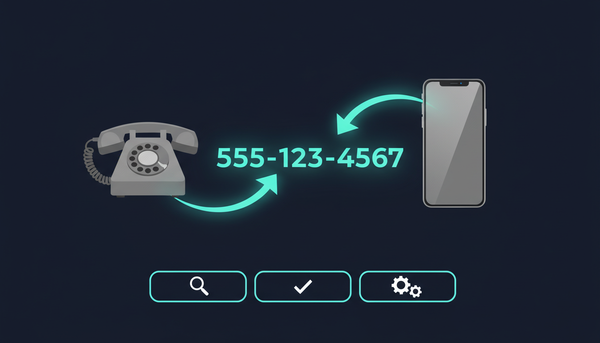
Phone number porting is the process of transferring your existing phone number from one wireless carrier to another. The Telecommunications Act of 1996 established this as a consumer right, and the FCC enforces it through Local Number Portability (LNP) regulations.
When you port your number, you're not actually moving anything physical. Instead, your new carrier updates the national number registry to route calls and texts to their network instead of your old carrier's network.
This process works for:
- Wireless-to-wireless transfers (most common)
- Landline-to-wireless transfers
- VoIP-to-wireless transfers
- Wireless-to-VoIP transfers
The key thing to remember: your phone number belongs to you, not your carrier. You've had that number for years, your contacts know it, and it's tied to countless accounts. Keeping it when you switch carriers is your right.
Before You Port: Information You'll Need
Before starting the porting process, gather this essential information from your current carrier:
Account Information Checklist
Account Number - This is different from your phone number. Find it on your bill, in your online account, or by calling customer service.
Account PIN or Password - The security code associated with your account. If you don't know it, contact your current carrier to reset it.
Billing Name and Address - Must match exactly what's on your current account.
Phone Number(s) - The number(s) you want to transfer.
Current Carrier Name - The company you're leaving.
Where to Find Your Account Number
| Carrier | How to Find Account Number |
|---|---|
| AT&T | My AT&T app > Profile > Account info |
| Verizon | My Verizon app > Account > Account PIN & security |
| T-Mobile | T-Mobile app > Account > Profile settings |
| Cricket | myCricket app > Account > Account info |
| Visible | Visible app > Account > Account number |
If you can't find your account number online, call your carrier's customer service line. They're required to provide it, though they may try to convince you to stay.
Step-by-Step Guide to Port Your Phone Number
Step 1: Keep Your Current Service Active
This is the most important step. Do NOT cancel your current phone service before initiating the port. Your account must remain active for the transfer to work properly.
When the port completes successfully, your old service will automatically cancel. Canceling early can cause your number to be released and potentially reassigned to someone else.
Step 2: Check Your Phone's Compatibility
Before switching, verify your phone will work with your new carrier. Most modern unlocked phones are compatible with multiple networks, but it's worth checking.
To find your IMEI number:
- Dial
*#06#on your phone - Or check Settings > About Phone > IMEI
Enter this IMEI on your new carrier's website to confirm compatibility. If your phone is carrier locked, you'll need to unlock it first.
Step 3: Verify Your Number is Portable
Most numbers can be ported, but there are exceptions. Your number might not be portable if:
- It's a newly assigned number (less than 60 days old)
- There's an outstanding balance with your current carrier
- The number is tied to a business account with porting restrictions
- Geographic limitations apply (rare)
Your new carrier can check portability during the sign-up process.
Step 4: Initiate the Port with Your New Carrier
When you sign up with your new carrier, select the option to "keep your current number" or "port existing number." You'll need to enter:
- Your current phone number
- Account number from your current carrier
- Account PIN
- Billing address
Double-check every character. Even small typos can delay or reject the port request.
Step 5: Wait for the Port to Complete
Porting timelines vary, but here's what to expect:
| Port Type | Typical Timeline |
|---|---|
| Wireless to wireless | 15 minutes to 24 hours |
| Landline to wireless | 2-10 business days |
| VoIP to wireless | 1-3 business days |
During the transfer, you may experience a brief service interruption. This is normal and usually lasts only a few minutes.
Step 6: Activate Your New Service
Once the port completes, activate your new SIM card or eSIM following your new carrier's instructions. Test by making a call and sending a text to confirm everything works.
Common Porting Issues and How to Fix Them
Port Rejection: Account Information Mismatch
Problem: The information you provided doesn't match your current carrier's records exactly.
Solution: Contact your current carrier to verify the exact spelling of your name, your account number, and PIN. Even spaces or capitalization can matter.
Port Rejection: Outstanding Balance
Problem: You owe money to your current carrier.
Solution: Pay off any balance before initiating the port. Some carriers will reject ports even for small amounts owed.
Port Stuck in "Pending" Status
Problem: Your port has been pending for more than 24 hours.
Solution: Contact your new carrier's porting support team. They can escalate the request and often resolve issues within hours.
Old Carrier Won't Release the Number
Problem: Your current carrier is delaying or blocking the port.
Solution: Carriers are legally required to release your number. If they refuse, file a complaint with the FCC Consumer Complaints Center.
Your Porting Rights Under FCC Regulations
The FCC has established clear rules to protect your right to port your phone number:
Carriers must port your number - They cannot refuse or unreasonably delay a valid port request.
No porting fees from old carriers - Your current carrier cannot charge you specifically to port out.
24-hour requirement for wireless - Simple wireless-to-wireless ports should complete within one business day.
You cannot be forced to stay - Even if you're under contract, you can port out (though you may owe early termination fees).
If a carrier violates these rules, you can file a complaint with the FCC online or by calling 1-888-CALL-FCC.
Tips for a Smooth Port
Port during off-hours - Starting a port late at night or early morning often means faster processing.
Keep your old phone handy - You may receive verification texts during the process.
Don't rely on your phone during the port - Schedule the switch for a time when you don't need your phone urgently.
Screenshot your account info - Have your account number and PIN saved in case you lose service during the process.
Check your new coverage first - Verify your new carrier has good coverage in your area before committing to the switch.
Frequently Asked Questions
How long does it take to port a phone number?
Most wireless-to-wireless ports complete within 15 minutes to 24 hours. Landline and VoIP ports can take 2-10 business days due to different systems and processes.
Can I port my number if I owe money to my old carrier?
You can still port your number, but some carriers require settling your balance first. Even with an outstanding balance, your number belongs to you, and the FCC protects your right to port it.
Will I lose service during the porting process?
There may be a brief interruption (usually minutes) when the switch happens. Both carriers work to minimize downtime, but it's best to port when you don't need your phone immediately.
Can I port a number from a different state?
Yes, you can port numbers across state lines. There are no geographic restrictions on number portability within the United States.
What if my port request is rejected?
Contact your new carrier's support team first. Most rejections are due to information mismatches that can be corrected. If your carrier is unlawfully blocking the port, file a complaint with the FCC.
Ready to Switch?
Porting your phone number is straightforward when you have the right information. Whether you're switching to save money, get better coverage, or escape a carrier you're unhappy with, keeping your number makes the transition seamless.
At Vouch Mobile, we make porting easy. Our plans start at just $25/month (when you pay annually) for unlimited talk, text, and data on AT&T's nationwide network. No credit check required, no contracts, and no surprises on your bill.
Ready to bring your number to Vouch? Check out our plans and start the switch today.