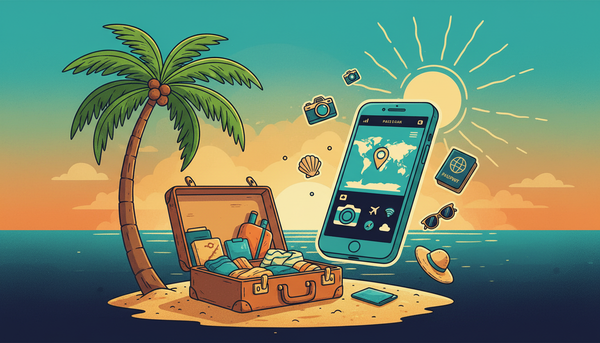
Summer vacation should mean relaxation, not worrying about phone coverage and surprise bills. Whether you're road-tripping across the country, visiting national parks, or exploring coastal destinations, smart phone planning keeps you connected without stress.
Here's everything you need to know about using your phone during summer travel, updated for 2026.
Before You Leave: Preparation Checklist
A few minutes of preparation prevents most travel phone problems.
Check Coverage Along Your Route
Before heading out, verify your carrier has coverage at your destination and along the way:
- Use your carrier's coverage map (Vouch Mobile uses AT&T's nationwide network)
- Download offline maps for areas with uncertain coverage
- Identify WiFi hotspots along your route (rest stops, restaurants, hotels)
Different carriers have different coverage strengths. AT&T and Verizon generally lead in rural coverage, while T-Mobile excels in urban areas. Know your carrier's strengths and plan accordingly.
Download Essential Content Offline
Before leaving WiFi behind, download:
- Maps: Google Maps and Apple Maps both offer offline downloads
- Music/Podcasts: Spotify, Apple Music, and podcast apps allow offline downloads
- Entertainment: Netflix, Disney+, and other streaming services offer downloads
- Travel guides: Many apps have offline destination information
This reduces data usage and ensures entertainment even without signal.
Update Your Phone
- Install any pending software updates (better to discover issues at home)
- Update navigation and travel apps
- Back up your phone to cloud storage
- Clear unnecessary files to free storage for trip photos
Enable WiFi Calling
WiFi calling uses internet connections instead of cellular towers. This is invaluable when:
- Cellular signal is weak but WiFi is strong
- You're in a hotel room with thick walls
- You're at a remote lodge or cabin with internet
Most modern phones support WiFi calling. Enable it in your phone settings before you need it.
Managing Data While Traveling
Know Your Plan
Before traveling, understand:
- Your data allowance: Unlimited? Capped? Throttled after a certain amount?
- Hotspot limits: How much mobile hotspot data do you have?
- Roaming policies: Does your plan cover all domestic areas?
Vouch Mobile includes unlimited domestic data with no roaming charges anywhere in the US. Check our plans for details.
Data-Saving Tips
Reduce background data:
- Turn off automatic app updates
- Disable automatic photo/video uploads
- Limit email sync frequency
- Turn off app refresh for non-essential apps
Stream smart:
- Download content before leaving (music, podcasts, videos)
- Lower streaming quality when on cellular
- Use audio instead of video when possible
Navigate efficiently:
- Download offline maps before trips
- Cache your route while on WiFi
- Use compass and downloaded maps in remote areas
Monitor Your Usage
Check data consumption regularly:
- iPhone: Settings > Cellular > Cellular Data Usage
- Android: Settings > Network & Internet > Data Usage
Reset statistics at the start of your trip to track vacation usage specifically.
Road Trip Connectivity Tips
Highway Coverage Reality
Most major highways have good cellular coverage from all carriers. However:
- Rural stretches may have limited coverage
- Mountain passes and valleys can create dead zones
- Remote scenic routes may lack signal entirely
Plan for these gaps:
- Download offline entertainment before dead zones
- Use rest stops for downloads and updates
- Don't rely solely on phone GPS in remote areas (bring a backup)
Making Your Phone Last
Long drives drain batteries. Preserve power with:
- Use airplane mode in dead zones (your phone won't waste battery searching for signal)
- Lower screen brightness while navigating
- Close background apps you're not using
- Bring car chargers and backup batteries
- Turn off Bluetooth and WiFi when not needed
In-Car Connectivity
If multiple family members need connectivity:
- Mobile hotspot: Share your phone's connection with others
- Dedicated hotspot device: Useful for heavy data families
- Rotate streaming: Let one person stream at a time to share bandwidth
Check your plan's hotspot allowance. Vouch Premium includes 5GB of hotspot data, while Elite offers 20GB.
National Parks and Remote Destinations
Expect Limited Coverage
National parks prioritize natural experience over connectivity. Expect:
- No coverage in most wilderness areas
- Spotty coverage near visitor centers and lodges
- WiFi available at many park lodges and developed areas
Safety Without Signal
Don't rely solely on your phone for safety in remote areas:
- Tell someone your itinerary before heading into backcountry
- Bring physical maps and know how to use them
- Consider a satellite communicator (like Garmin inReach) for true emergencies
- Know ranger station locations and check-in points
Making the Most of Limited Connectivity
When you do find signal:
- Send a quick update to family/friends
- Check weather forecasts
- Download any needed information for the next leg
- Post photos if desired (or save for later)
Don't spend your entire national park visit hunting for signal. Embrace the disconnection.
Beach and Coastal Travel
Humidity and Water Protection
Coastal environments are hard on phones:
- Use waterproof cases or bags, especially near water
- Avoid direct sun exposure (overheating damages batteries)
- Keep your phone dry (salt water is particularly damaging)
- Store in shade when not in use
Beach Connectivity Tips
Most populated beaches have decent coverage. For the best experience:
- Use WiFi at hotels and rentals when available
- Download beach reads and music before heading out
- Keep your phone in a bag to avoid sand and sun damage
- Consider a waterproof Bluetooth speaker instead of using phone speakers
Vacation Rentals and Hotels
Hotel WiFi Best Practices
Hotel WiFi varies wildly in quality and security:
For better speeds:
- Request rooms closer to the router (often near the lobby)
- Connect during off-peak hours (early morning or late night)
- Ask the front desk if premium WiFi is available
For security:
- Use a VPN for sensitive activities
- Avoid banking or shopping on public networks
- Don't auto-connect to open networks
Using WiFi Calling
When hotel WiFi is strong but cellular is weak:
- Connect to WiFi
- Enable WiFi calling (Settings > Phone > WiFi Calling on iPhone; Settings > Network > WiFi Calling on Android)
- Make calls as normal, they'll route through internet
This is especially useful in buildings with thick walls or poor indoor coverage.
International Summer Travel
If your summer vacation includes international destinations, planning becomes more critical.
International Options
eSIM for travel:
- Purchase international eSIM before departure
- Providers like Airalo, Holafly, or carrier international plans
- Activate when you land
- Keep your regular number on your primary SIM
Local SIM cards:
- Often the cheapest option for longer trips
- Requires unlocked phone (see our unlock guide)
- Buy at airport or local shops upon arrival
Carrier international plans:
- Convenient but often expensive
- Day passes ($10-15/day) for short trips
- International add-ons for longer stays
Avoiding International Bill Shock
- Turn off data roaming before departure
- Enable airplane mode if not using international plan
- Use WiFi calling at hotels and restaurants
- Download offline content before leaving home
One accidental data session abroad can cost hundreds. Be proactive about settings.
Frequently Asked Questions
How do I check coverage before my trip?
Use your carrier's online coverage map. For Vouch Mobile, check our coverage page or AT&T's coverage map since we use their network. Also read recent reviews from travelers to your specific destination.
What should I do if I have no signal at my destination?
Connect to WiFi at your accommodation for calls (using WiFi calling), messages, and internet access. For true emergencies in remote areas, consider a satellite communicator device. Let people know your plans before entering areas without coverage.
How much data do I need for a week-long vacation?
Most travelers use 3-7GB per week for maps, social media, and light browsing. Heavy video streaming can use 1-2GB per hour. With unlimited data plans like Vouch Mobile's offerings, you don't need to worry about limits.
Should I bring a separate hotspot device for travel?
Usually not necessary. Most phone plans include some mobile hotspot data. A separate device makes sense for families where multiple people need constant connectivity, or for work travel requiring reliable laptop internet.
How do I protect my phone at the beach or pool?
Use a waterproof case or pouch rated for submersion. Keep your phone in shade to prevent overheating. Avoid exposing it to salt water, chlorine, sand, and sunscreen, all of which can cause damage. Consider leaving expensive phones in a hotel safe and using an older device for beach days.
Plan Your Connected Summer Vacation
Summer travel should be about experiences, not phone anxiety. With a little preparation, you can stay connected when you need to be and enjoy disconnection when you don't.
Vouch Mobile offers unlimited talk, text, and data on AT&T's nationwide network, giving you reliable coverage across most travel destinations. At $25-30/month with no contract, you're not locked into expensive plans whether you're home or away.
Before your next adventure, make sure your phone plan is ready. Check out our plans and coverage to ensure your summer travels stay connected.
For more tips on getting the most from your phone service, explore our guides on saving money on your phone bill and understanding your data needs.